Contents (19 sections)
What is Music Production Software?
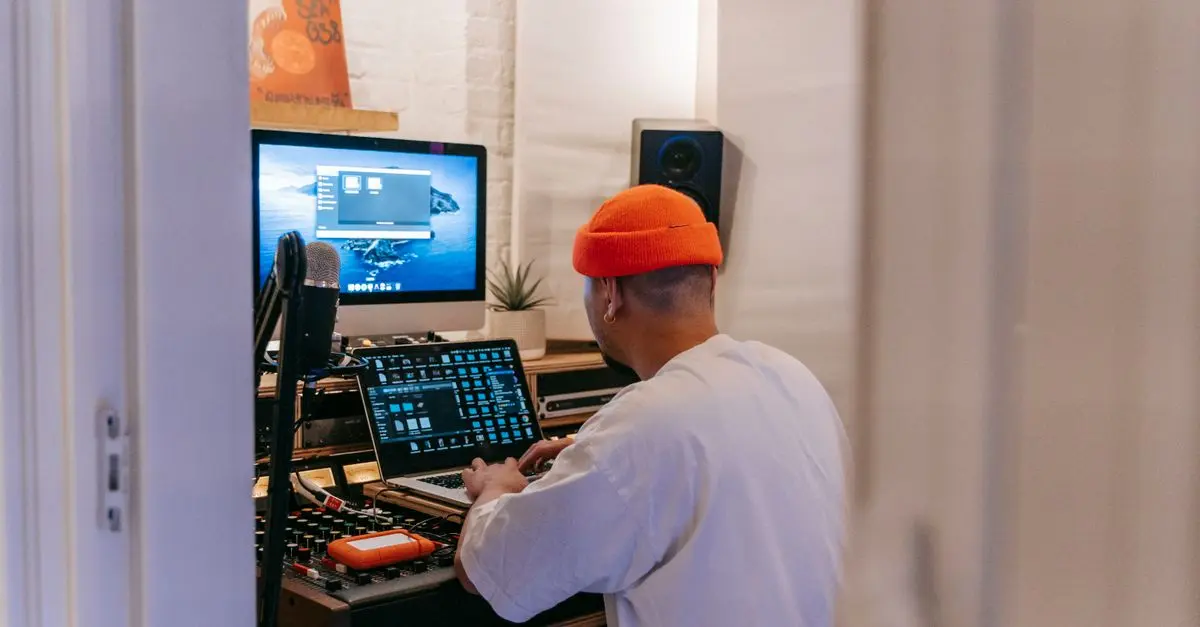
Music production software, often referred to as Digital Audio Workstations (DAWs), is a suite of tools designed to enable musicians and producers to create, record, edit, and produce music. These powerful applications provide an array of features including audio recording, MIDI composition, mixing, and mastering capabilities. The evolution of this software has made it accessible to both professionals and amateurs alike, fostering a vibrant creative landscape.
The importance of music production software lies in its ability to facilitate expression and experimentation. With a plethora of plugins and virtual instruments available, users can explore various genres and styles, leading to unique soundscapes. Experts from the music industry emphasise that the right tools can significantly enhance creativity by removing the barriers traditionally associated with music production. By understanding how these tools work, users can unlock their potential and delve deeper into their musical journey.
Step-by-Step Guide to Using Music Production Software
Step 1: Selecting the Right Software
Choosing the right music production software is vital to your creative process. Begin by assessing your needs: Are you a beginner or an experienced producer? Look for user-friendly software like Ableton Live or GarageBand for newcomers, while experienced users might prefer Logic Pro or Pro Tools for their advanced features. Consider factors such as compatibility with your operating system and the availability of plugins.
Step 2: Setting Up Your Workspace
Once you've selected your software, it’s important to configure your workspace efficiently. A clean, organised workspace can significantly enhance productivity. Create a template with your commonly used tracks and effects, enabling you to jump into creativity seamlessly. Use labels and colour-coding to differentiate between various sections and instruments, which can save you valuable time when navigating your project.
Step 3: Learning the Basics
Familiarise yourself with the interface and basic functions of the software. Most DAWs include tutorial resources that can help you get started. Learn to navigate the mixer, arrange tracks, and utilise virtual instruments. Watching YouTube tutorials can also provide visual guidance, making the learning process smoother and more engaging.
Step 4: Experimenting with Sounds and Effects
Music production software allows for endless experimentation. Play with different instruments, synth sounds, and effects to discover new musical ideas. Use MIDI to create melodies or rhythms, and explore audio samples to add texture to your tracks. Don’t hesitate to step outside your comfort zone; innovation often stems from experimentation.
Step 5: Collaborating with Others
Many software platforms include collaboration features which enable you to work with other musicians seamlessly. Share your project files or invite others to contribute in real-time. Collaboration can bring fresh perspectives and ideas into your music, as well as foster a sense of community. Use the feedback from collaborators to enrich your creativity.
Step 6: Producing and Finalising Your Track
Once you’ve crafted your sounds and arrangements, it’s time to produce your track. Besides mixing and mastering, pay attention to how all elements interact within the final piece. Use mixing tools such as panning, EQ, and compression to enhance your sound. Finally, export and test your track across different playback systems (e.g., headphones, car speakers) to ensure it translates well everywhere.
Step 7: Staying Updated and Continuous Learning
The world of music production is ever-evolving, with new updates and plugins released regularly. Stay updated by following industry news, joining forums, and participating in communities related to music production. Continuous learning and adaptation are crucial to keep your skills sharp and relevant in this fast-paced industry.
Comparison of Popular Music Production Software
| Feature | Ableton Live | Logic Pro | FL Studio | Pro Tools |
|---|---|---|---|---|
| Target User | Beginners/Intermediate | Intermediate/Professional | Beginners/Intermediate | Professionals |
| MIDI Capabilities | Excellent | Excellent | Good | Good |
| Audio Recording | Good | Excellent | Good | Excellent |
| Price Range | £69 - £499 | £199 | £89 - £399 | £29/mnth subscription |
| Verdict | Best for Live Performance | Best for Composition | Best for Beat Maker | Industry Standard |
When choosing between these options, consider your specific needs and budget. Each piece of software has its strengths that can cater to different styles of music production.
Data-Driven Insights on Music Production Software
According to a report by Statista, the music production software market has been growing steadily, expected to reach £3 billion by 2026. This growth reflects a surge of interest in home studios and independent music production, with more people seeking affordable and accessible tools to create music. Additionally, a survey conducted by Ableton found that over 70% of music producers believe that their software directly influences their creativity, highlighting the importance of using the right tools in the creative process.
Engaging with music production software not only allows artists to create but also to learn about sound design, arrangement, and production techniques, making it a holistic tool for musical expression.
Frequently Asked Questions
What is the best music production software for beginners?
The best music production software for beginners includes GarageBand for Mac users and Ableton Live Lite, which offers a user-friendly interface and essential features.
Does music production software work on all computers?
Most music production software is available for both Windows and macOS. However, it’s important to check system requirements as some programs may require more powerful hardware.
Can I produce music without a MIDI keyboard?
Yes, music production software allows the use of virtual keyboards. However, using a MIDI keyboard can enhance your workflow and allow for more expressive performances.
What should I look for in music production software?
Key features to look for include ease of use, audio recording capabilities, MIDI support, effects and plugins availability, and whether it's suitable for the genre of music you wish to produce.
Glossary
| Term | Definition |
|---|---|
| Digital Audio Workstation (DAW) | A software platform used for recording, editing, and producing audio files. |
| MIDI (Musical Instrument Digital Interface) | A protocol that allows electronic instruments to communicate and synchronise. |
| Mixing | The process of combining recorded audio tracks to create a final version of the song. |
Checklist before purchase
- [ ] Determine your experience level
- [ ] Identify key features needed
- [ ] Check compatibility with your operating system
- [ ] Compare pricing and available tutorials
- [ ] Read user reviews and testimonials
📺 For further exploration: Understanding Music Production Software, a complete analysis on how to choose the right software for your musical needs. Search on YouTube: '
how to choose music production software 2026'.
🧠 Quick Quiz: What is the main benefit of using music production software?
- A) It makes music creation faster.
- B) It reduces the quality of sound.
- C) It limits creativity.
Answer: A — Music production software enhances the speed and efficiency of the music creation process.
Finding the right music production software can be transformative for your music-making journey. By utilising these tools effectively, you're not just enhancing your music production skills but also unleashing your creativity. Consider starting your journey with one that meets your needs, and you'll likely find your artistic potential expanding phenomenally.
📺 Pour aller plus loin : how to choose music production software 2026 sur YouTube